
Melon Sandbox review
 Analysis by GetAllApps
My first impression of Melon Sandbox is that it’s less about completing a traditional game and more about making your own little experiments. You place characters and objects, see how they interact, and change the setup when something amusing, surprising, or simply strange happens. That open-ended approach is the main appeal: there’s no lengthy story to learn before you can start playing, but you do need to bring your own ideas.
This is a simulation game from playducky.com, and it suits people who enjoy tinkering more than following objectives. I’d recommend it to curious players who like physics-based play, silly scenarios, and making small scenes to share or revisit. If you want clear missions, a steady sense of progression, or carefully guided challenges, it may feel aimless instead.
What to expect from the sandbox
The basic pleasure is experimentation. A scene becomes a sort of tabletop stage: arrange what you want, try an interaction, then adjust the setup and see what changes. Rather than treating an unexpected result as failure, I found it more useful to treat it as a prompt for the next experiment. That mindset makes the open format much more rewarding.
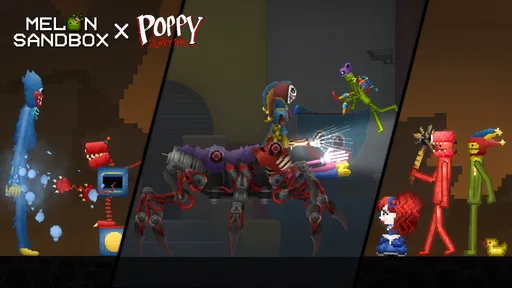
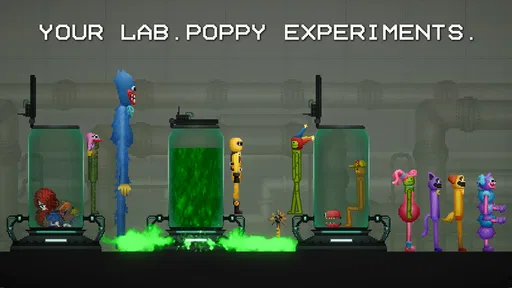
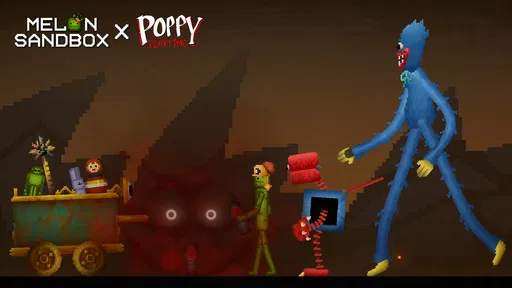
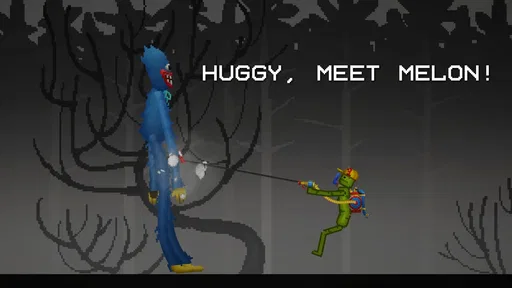
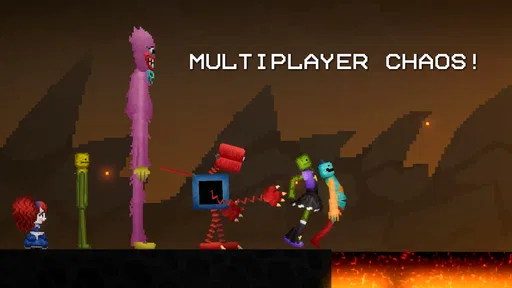
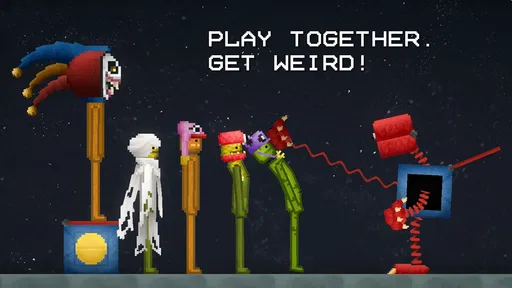
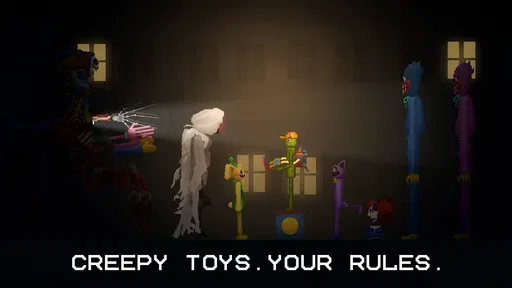
The game’s current seasonal hook pairs Melon Sandbox with Poppy Playtime™ for a Halloween collaboration featuring exclusive mods. That gives fans of the crossover a particular reason to take a look, while the broader sandbox idea remains the draw for players who simply enjoy building unusual situations. I would approach the collaboration as an extra flavor, not as a substitute for a structured horror adventure.
Its scale is notable: it has passed 100 million installs, with an average rating of 4.7 from around 1.4 million ratings and roughly 55,000 written reviews. Those figures suggest it has reached a large audience, but they do not guarantee that its loose, experiment-first style will click for everyone. The most useful question is whether you enjoy creating your own goal.
One practical way to begin is to choose a single simple idea before opening a scene. For example, try to make a character reach a particular spot, or see what happens when you change one part of a setup. Keeping the experiment small helps you understand cause and effect. If you alter several things at once, an unexpected result is harder to learn from, and restarting can feel like busywork.
Starting without getting overwhelmed
When you first launch, resist the temptation to make an elaborate scene immediately. Spend a little time looking through the available choices and getting comfortable with how the play area responds to your actions. I find that a short, low-stakes test is more reassuring than trying to recreate a complicated idea on the first try. The goal is simply to understand the rhythm of placing, testing, and adjusting.
It also helps to think in terms of a small “before and after.” Set up one interaction, observe it, then change just one element and compare. This is a useful habit in any sandbox, but particularly here, where the fun comes from discovering what a setup does rather than being told what to do. It turns random tapping into a deliberate little experiment without making play feel like homework.
There is no need to decide in advance that you must build something impressive. A quick scene that makes you laugh is a perfectly good first session. If you are playing in a short break, set yourself a modest target, such as testing one object or arranging one encounter. That gives the session a satisfying endpoint even when the game itself does not hand you a mission completion screen.
Your first satisfying experiment
A good first success is a scene that behaves the way you intended, even if the idea is simple. Put together a small setup, test it, and make one adjustment based on what you observe. If the outcome is not what you expected, change one part rather than clearing everything and starting over. That keeps the result understandable and gives you a concrete next move.
For an everyday example, imagine opening the game while waiting for a friend or taking a quiet break at home. Instead of aiming to spend the whole session building a huge contraption, make a quick “what if?” scene. Try one arrangement, watch what happens, and then decide whether a single change improves it. Even if the result is chaotic, you have learned something about that setup and can stop there without feeling you left a campaign unfinished.
Once you have a scene that works, repeat it with one meaningful variation. That small comparison is one of the most useful ways to get more from the game: it helps separate a genuine change in the setup from the noise of changing everything together. It also gives you a natural path toward more ambitious play, because you can build complexity gradually rather than guessing your way through a crowded scene.
Common points of confusion
The first potential stumbling block is expecting a conventional objective. Many simulation games provide a career, a set of scenarios, or a sequence of tasks. Melon Sandbox is better approached as a creative play space. If you open it and wonder what you are “supposed” to do, choose your own small challenge instead. That shift in expectations is often the difference between feeling lost and finding the game enjoyable.
Another source of confusion is treating every odd outcome as a bug or a failed attempt. In a sandbox, results can be messy, and a scene may not behave as neatly as your mental picture. When that happens, simplify: remove distractions from your experiment, keep the part you want to test, and try again. This is a more useful response than repeatedly changing several elements and hoping the next result makes sense.
The crossover content can also set the wrong expectation if you are looking for a full Poppy Playtime-style narrative. The Halloween collaboration adds exclusive mods, but the central experience remains sandbox play. I’d choose it for the freedom to make and test scenes, not because I expect a guided story or a sequence of horror levels.
There is a practical trade-off between freedom and direction. With no fixed route to follow, you can move from a quick joke to a more involved experiment whenever you like. On the other hand, the game may not tell you when an idea is complete or suggest the next one. Players who rely on explicit goals may prefer a mission-led simulation or puzzle game, where progress is measured for them.
From small tests to more personal play
After a few simple experiments, the best next step is to build around a theme. You might make a scene designed to produce a particular reaction, or create a setup whose outcome changes when one element is moved. The theme gives your session a little direction, while the sandbox keeps room for improvisation. It is a useful middle ground between aimless browsing and trying to engineer something overly complicated.
If you enjoy the Halloween collaboration, you can let that influence the mood of a scene. If you do not care about the crossover, there is no need to make it the center of your play; the appeal of an open-ended simulator is that the idea can come from you. I’d treat themed content as a starting point for a scenario, then see whether the process of arranging and testing is enjoyable in its own right.
One small but valuable habit is to pause after a successful setup and decide what made it work. Was it the arrangement, the timing of your test, or a particular change? You do not need to document every result. Just remembering the one factor that mattered makes it easier to reproduce a good scene and gives your next session a clear place to begin.
Who will enjoy it, and who may prefer something else
I think the game is strongest for players who like unstructured creativity, playful physics experiments, and scenes that can go in unexpected directions. It can also work well for someone who wants a casual game they can dip into briefly, because a tiny experiment can be satisfying without a long commitment. The Teen content rating is worth keeping in mind when deciding whether it is suitable for a younger player.
I would steer away from it if you need a strong tutorial-led journey, competitive objectives, or a carefully paced story. It is also not my first choice when I want a puzzle with one clear solution. A level-based physics game is usually a better fit for that mood; a story-driven title is better if narrative is the reason you play. Melon Sandbox offers a different kind of payoff: seeing what your own arrangement produces.
Compared with more conventional simulation games, its freedom is both its best feature and its main demand on the player. A guided simulator supplies a job to do and often shows progress. Here, you supply the purpose, decide when a test is interesting, and choose whether to keep experimenting. That is liberating for creative players, but it can feel like a lack of direction if you want the game to lead.
Costs, compatibility, and a sensible next step
The game is free to download, with optional in-app purchases priced from $0.49 to $259.99 per item. I’d start with the free experience and decide whether the core sandbox loop is something you actually return to before considering any purchase. The wide span of listed item prices makes it sensible to check the purchase details carefully, especially if a child will be playing on the device.
It was released on December 23, 2022, and its current version is 38.666. The listed minimum operating system is 7.1, so check your device’s software compatibility before installing. Those details are more useful than assuming that a popular game will run identically on every phone or tablet.
For a first session, I’d keep the plan simple: open the game, explore the available choices, build one small scene, and change just one thing after testing it. If that process feels fun, carry the same idea into a themed or more elaborate setup next time. If you repeatedly wish the game would provide objectives, that is a good sign that a mission-based alternative would suit you better.
My recommendation is to try it if making your own playful experiments sounds appealing. Its huge audience and strong average rating make it easy to understand why the sandbox has found so many players, but the personal fit matters more than popularity. I enjoy it most when I arrive with one small idea and leave room for surprises. On that basis, Melon Sandbox is an inviting choice for curious tinkerers, but not a replacement for a structured game when all you want is a clear goal and a guided route to the finish.
Pros and cons
Pros
- Creative tools make it easy to build custom scenes.
- A wide range of objects encourages varied experiments.
- Physics interactions can produce amusing outcomes.
- Sandbox play lets users set their own goals.
- Regular content updates can add fresh possibilities.
Cons
- The open-ended format may feel aimless to some players.
- Complex scenes can become cluttered quickly.
- Some objects may be difficult to position precisely.
- Performance may dip during busy physics simulations.
- User-created content quality can vary widely.


